Was it the AI agent, or my Mac? Diagnose a slow agent run
ACTVT records your Mac’s hardware load alongside every agent session, so you can ask whether a slow run was the agent’s own work or the machine struggling. Its session_machine_context MCP tool overlays CPU, memory, swap and thermal state onto a session’s time window and says the processes that were using the CPU.
2:145 chapters
Step by step
0:00Codex gets a heavy job
Starts in a fresh terminal, with ACTVT open behind it. Asks Codex CLI to rebuild the ACTVT app from scratch and run all its tests. The build has to run outside Codex’s sandbox, so Codex asks first.
0:26The build takes over the Mac
The build starts; brings ACTVT to the front to watch. While it compiles and tests, the CPU runs flat out, but memory and swap barely move. Back in the terminal, the build ends: rebuilt from scratch, all 1,046 tests pass, in two and a half minutes.
0:58That felt slow. Whose fault?
Was that Codex being slow, or the Mac struggling? Close Codex and ask Claude Code instead.
1:20Claude asks ACTVT
Claude has ACTVT’s MCP tools. First it finds your last Codex session, then it asks what the Mac was doing during that session. ACTVT answers with the machine’s load over that window, and who was using the CPU.
1:44The verdict
Mostly the agent, not the Mac: no thermal throttling, no swapping, and memory never above 77%. The CPU was busy with Codex’s own build for 70% of the busy time, and nothing else came close. Only ACTVT sees both the agent and the Mac it runs on.
More tutorials
All tutorials →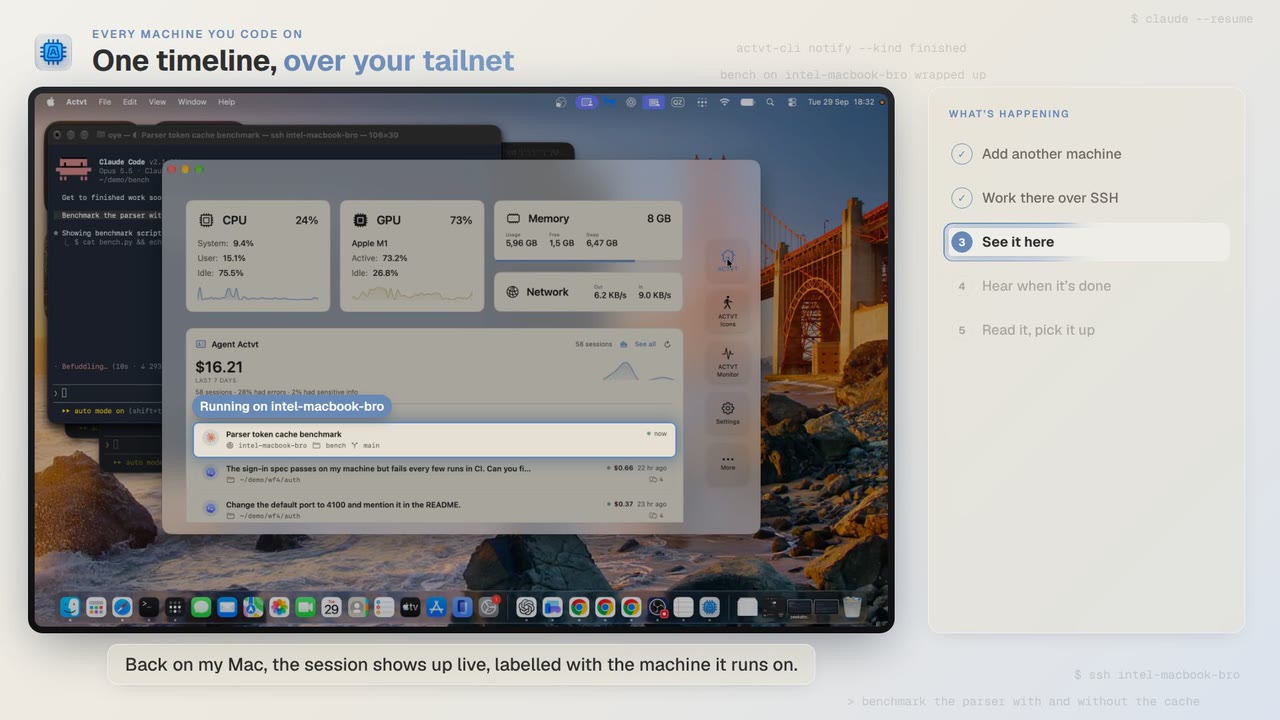 1:24
1:24Every machine you code on
See agent sessions from every machine you code on, over SSH
Start Claude Code on another Mac over SSH, watch the session live from your own, and read the full transcript when it finishes.
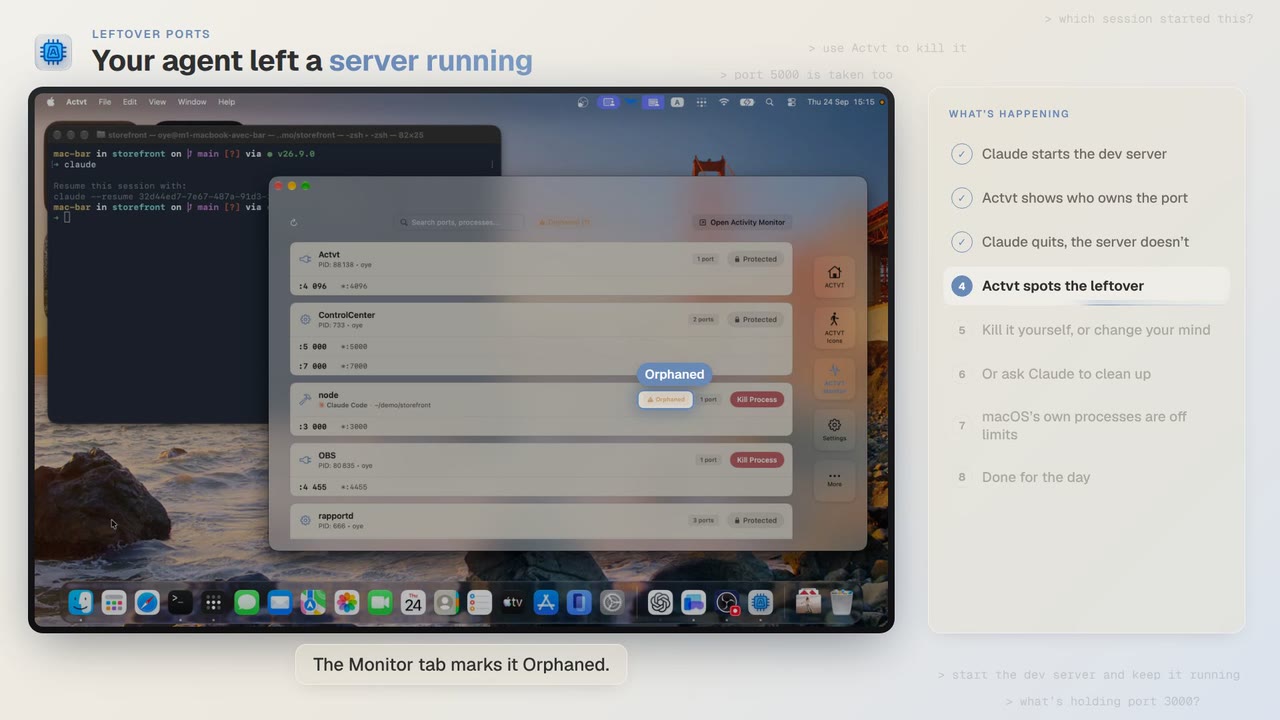 3:42
3:42Leftover ports
Find and kill the dev server your AI agent left running
Claude Code starts a dev server, quits, and leaves port 3000 taken. ACTVT spots the orphan and frees the port safely.
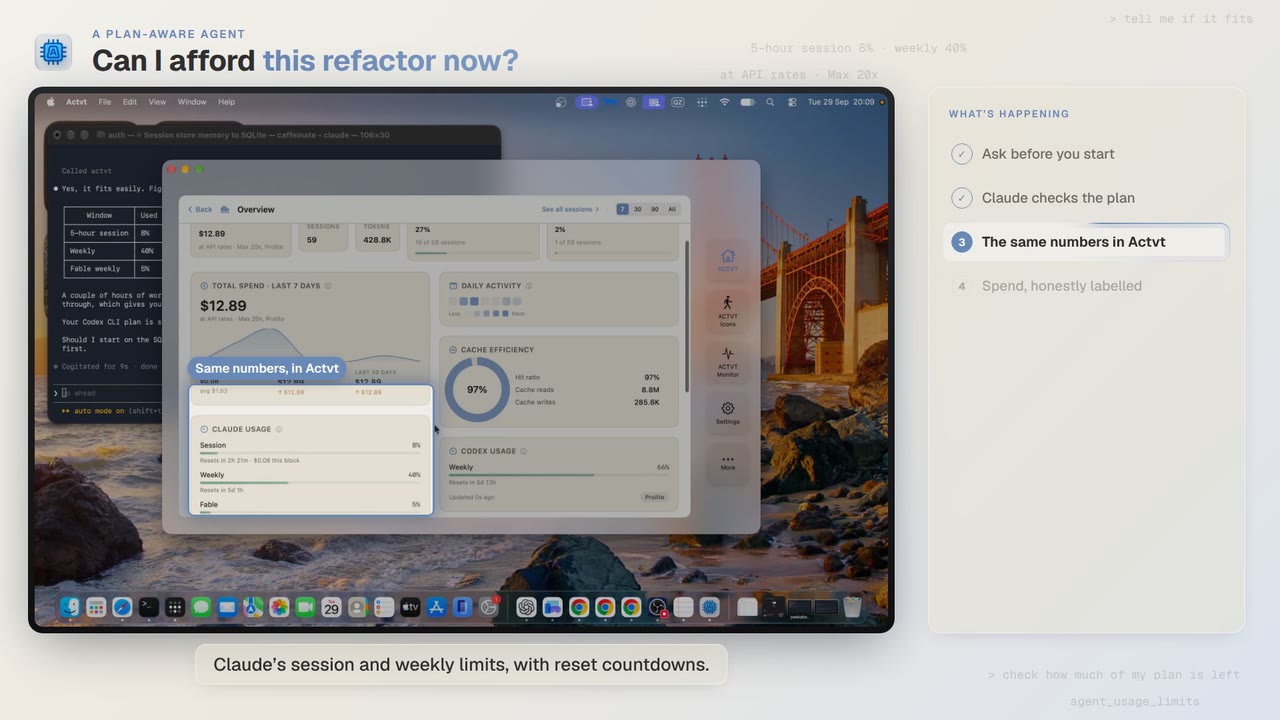 0:48
0:48A plan-aware agent
Can I afford this refactor? Check your plan limits first
Before a two-hour job, Claude Code asks ACTVT how much of your plan is left, and the same limits show in ACTVT with reset countdowns.
Try it on your own agents
ACTVT is free to start, and reads the session files Claude Code, Codex CLI and Pi already write. Nothing to configure.