Find and kill the dev server your AI agent left running
When a coding agent starts a dev server with nohup and then exits, the server keeps holding its port. ACTVT knows every listening port and the agent session that opened it, marks ports whose session has ended as Orphaned, and lets you or the agent itself, over MCP kill them safely, while macOS’s own processes stay protected.
3:428 chapters
Step by step
0:00Claude starts the dev server
Starts in a fresh terminal in a demo storefront project, with ACTVT open behind it. Asks Claude Code to start the dev server with nohup, so it keeps running after Claude quits.
0:27ACTVT shows who owns the port
With the server up, open ACTVT’s Monitor tab. Port 3000 is listed, and ACTVT knows which Claude Code session started it.
0:39Claude quits, the server doesn’t
Quit Claude. The server is still running. ACTVT checks for leftover ports about once a minute.
0:46ACTVT spots the leftover
Within a minute, ACTVT notices that the session that opened port 3000 has quit while the port is still open, and the Monitor tab marks the process Orphaned.
1:03Kill it yourself, or change your mind
Kill the process right from the Monitor tab. A countdown runs first, so you can still cancel.
1:11Or ask Claude to clean up
Now say you forget about it, and later your app won’t start because port 3000 is taken. Open a new Claude session and ask what is on that port. Claude checks with you before it uses ACTVT’s ports tool, and ACTVT tells it which session started that server. That session is gone, so Claude asks to kill the server. ACTVT kills it and checks the port again to be sure: port 3000 is free, and it is gone from ACTVT’s list.
2:05macOS’s own processes are off limits
The API wants port 5000, but macOS’s AirPlay Receiver uses it. Ask Claude to use ACTVT on that one too, and Claude asks to run ACTVT’s kill tool on ControlCenter. ACTVT says no. Port is still active, and Claude explains how to free the port properly instead. The Monitor tab says the same thing: It’s Protected, and why.
2:54Done for the day
Back in the terminal, the dev server now starts without a port conflict. When you are done for the day, stop it from ACTVT too: this time let the countdown run out, and the server stops.
More tutorials
All tutorials →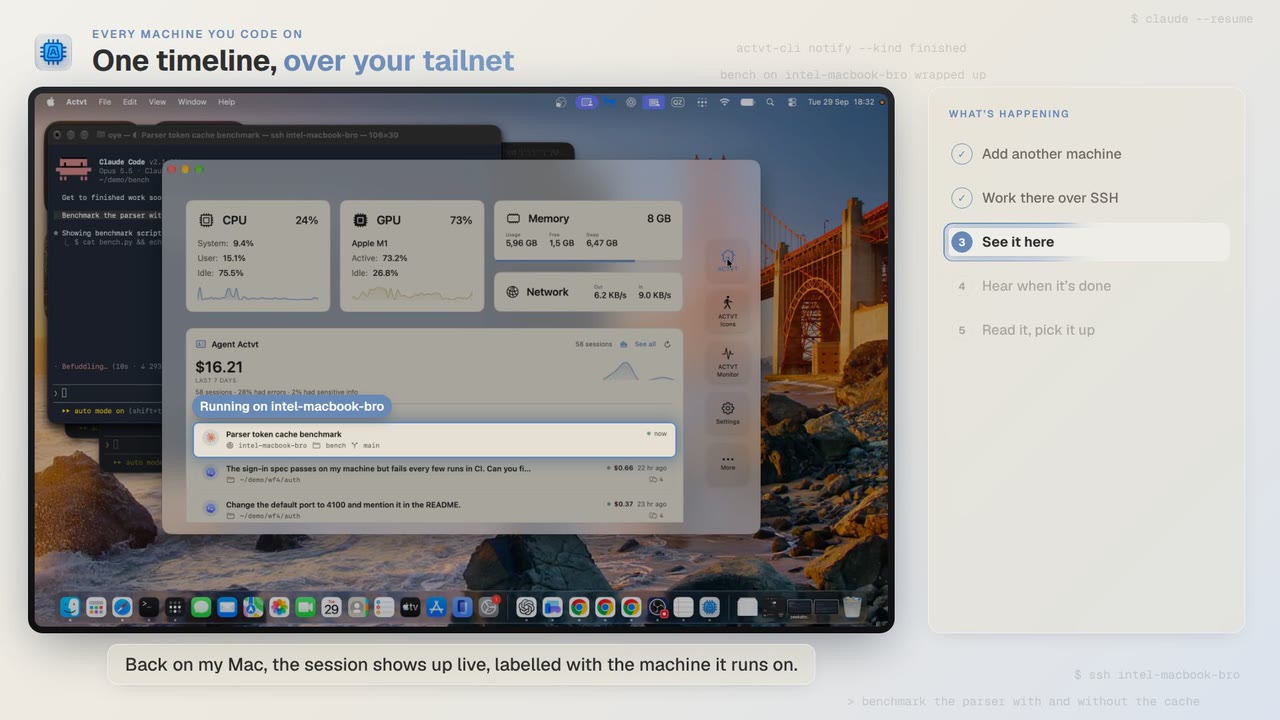 1:24
1:24Every machine you code on
See agent sessions from every machine you code on, over SSH
Start Claude Code on another Mac over SSH, watch the session live from your own, and read the full transcript when it finishes.
 0:48
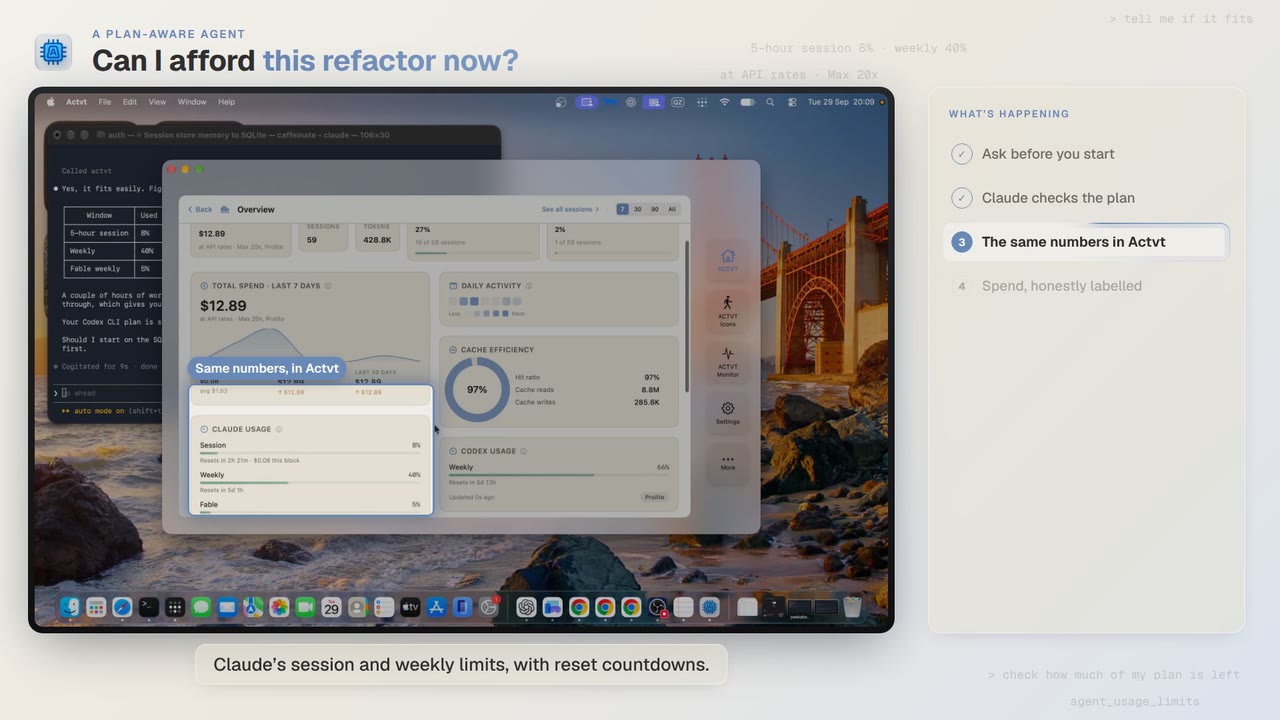
0:48A plan-aware agent
Can I afford this refactor? Check your plan limits first
Before a two-hour job, Claude Code asks ACTVT how much of your plan is left, and the same limits show in ACTVT with reset countdowns.
 2:14
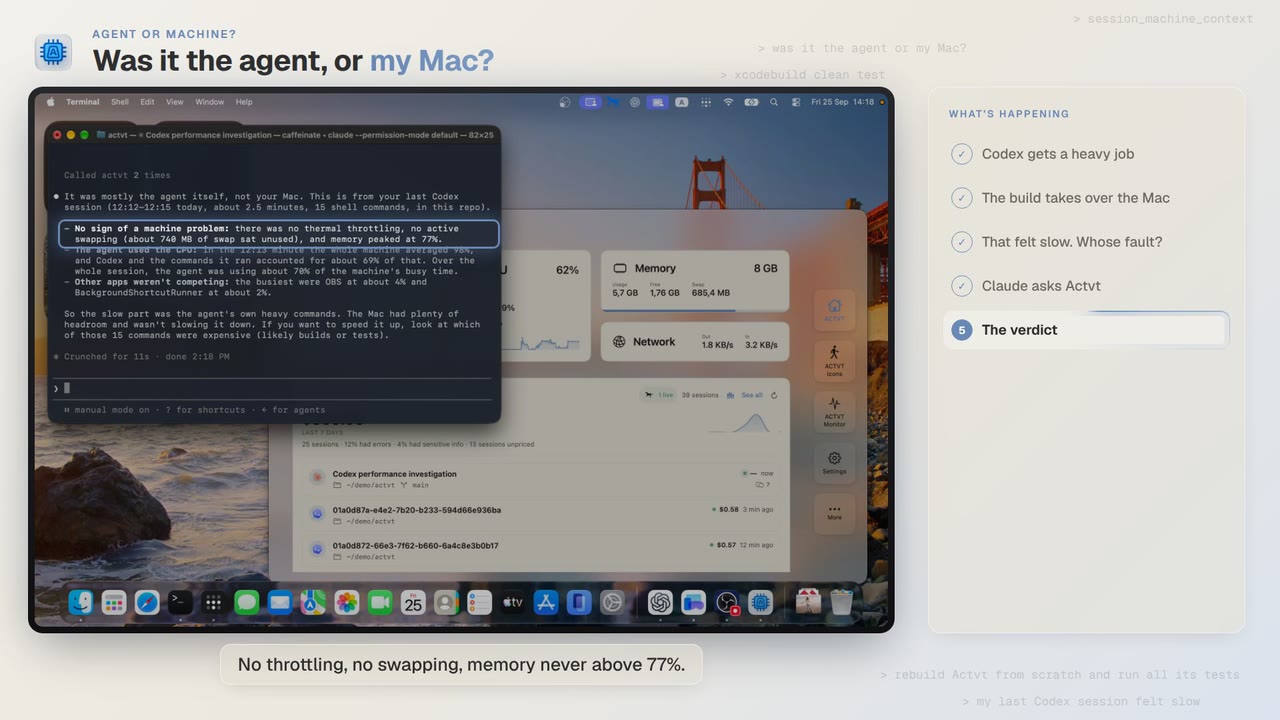
2:14Agent or machine?
Was it the AI agent, or my Mac? Diagnose a slow agent run
A Codex build felt slow. Claude asks ACTVT what the Mac was doing during that session, and gets an answer backed by numbers.
Try it on your own agents
ACTVT is free to start, and reads the session files Claude Code, Codex CLI and Pi already write. Nothing to configure.